
WhatsApp Business for Customer Service: A Team Guide
Build a clear WhatsApp support routine with consent, templates and conversation ownership. Includes handoff messages and a practical test plan.
Key points
Use WhatsApp Business for customer service when your customers want the channel and your team can reliably monitor it. Give each conversation an owner, keep internal notes separate and use the correct approved messaging process. Test receiving, replying, handing off and recovering from a failed send. Connecting a number is only the start of a service workflow.
This guide focuses on a team using the WhatsApp Business Platform through a supported business application. The standalone WhatsApp Business app and a platform integration are not identical products. Check which arrangement you have before applying a setup instruction or assuming a feature is available.
Decide what the channel is for
Start with a clear purpose: answering service questions, arranging the next step or helping an existing customer. Do not connect WhatsApp merely to add another icon to the inbox. A channel creates an expectation that someone will read and respond.
Tell the team who monitors it, during which hours and what happens when the usual person is away. If you publish a response promise, make it realistic. A polite automatic acknowledgment cannot replace a staffed process for questions that need a person.
Keep a fallback route available for connection problems. The customer should know how to contact the business if a message cannot be delivered or an issue cannot be handled in chat. Test that route before advertising the channel broadly.
Understand the platform's messaging boundaries
The WhatsApp Business messaging policy distinguishes customer-service replies from template-based messages and describes permission and escalation requirements. Its platform guidance permits free-form replies within the customer-service window of 24 hours after the user's last message; outside that window, approved templates are required. Recheck the current policy and provider instructions before configuring sends.
Do not confuse a template's approval with the customer's permission or with successful delivery. Those are separate conditions. A template can be approved while the recipient, purpose or account setup is still wrong.
Keep the rule understandable for staff. When the app says a free-form reply is unavailable, the next step should be to use an appropriate approved template or another permitted contact process, not to repeatedly press Send or invent a workaround.

Record permission as part of the relationship
Use a clear process for knowing why the business may contact someone and for what purpose. Keep the relevant permission and preference with the contact. Do not assume that a number imported from a spreadsheet is ready for a campaign.
A customer asking a service question is not necessarily asking to receive unrelated promotions. Separate transactional help from marketing in your workflow and review the applicable provider and legal requirements for your business.
If someone asks to stop messages, make that request visible and act on it through the supported process. Check existing automations as well as manual replies. A staff member can honor the request while an old sequence continues in the background unless the configuration handles both.
Assign one owner and preserve the context
Shared access is useful when it prevents a customer from repeating their story. It becomes confusing when several people reply at once or nobody knows who is responsible. Assign an owner and leave a concise note when handing the conversation over.
A useful internal handoff
“Customer is asking whether the revised estimate includes the extra area. The current proposal needs review before answering. Next action: confirm the scope with the estimator, then reply here. Do not send the standard approval reminder yet.”
That note tells the next person what to do and what to avoid. Keep it internal. Before sending a customer message, check the recipient, channel and final text. A quick response is not helpful if it accidentally includes office discussion or refers to another customer's project.
Write templates that leave room for context
A reusable message should make routine work easier without pretending every customer's situation is the same. Use it for a defined purpose, such as asking the customer to review a prepared estimate or confirming an agreed appointment detail.
Adapt the wording to your approved template process and replace every variable with verified information. Do not let a missing name, wrong link or outdated appointment time reach the customer. Preview long values and non-English names, not just the shortest sample text.
Keep a small library organized by task. A large collection of almost-identical templates makes it harder to choose correctly. Retire obsolete versions so staff do not accidentally use wording that no longer matches the service or provider requirements.

Handle the customer's reply as a new decision
A reply can change the workflow. The customer might ask a question, request a correction, decline the work or ask for a pause. Read it before sending another scheduled prompt.
For a question, assign the person who can answer it and record the next update. For a correction, revise the source record before preparing a new message. For a pause or opt-out, stop the relevant sequence through the supported controls.
Test this with a contact you control. Start a reminder sequence, reply midway and inspect future messages. Confirm that the system behaves according to your intended stop conditions. A successful send log does not establish that the conversation is being handled appropriately.
Make failures visible and recoverable
Messages can fail because of connection state, account approval, template restrictions, recipient issues or other provider conditions. The team needs the actual error and a practical next step. Do not label a message delivered simply because it was queued.
When a failure appears, check the connection and the current provider guidance. Correct the specific issue rather than changing several settings at once. If a retry is appropriate, verify whether the first attempt completed before sending again.
Keep a person responsible for unresolved failures. If another permitted channel is available, explain the situation and continue the customer service there. Avoid leaving the customer waiting while the team assumes the integration will eventually fix itself.
Keep sensitive information out of casual chat
Ask only for information needed to handle the request. Use an approved secure process for sensitive documents or payment information. The convenience of a familiar messaging app does not make it suitable for every type of data.
Do not forward one customer's conversation to another customer. Review who can access the shared inbox and exported history. A useful internal summary should include relevant facts, not unnecessary private details.
If an AI assistant prepares a reply, review it against the original conversation. Keep permissions narrow and use the supported approval flow before sending. A fluent draft can still contain an incorrect amount, an unverified commitment or information that should remain internal.
Test the channel before inviting customers
Use fictional or controlled records to test the whole path: inbound message, assignment, response, handoff, template use and an appropriate failure scenario. Confirm the business identity and the destination workspace. Check that messages are attached to the correct contact when names or numbers are similar.
Then test the phone experience with the staff who will answer. They should be able to find the latest question, see the next action and prepare a reply without searching several unrelated screens. Ask someone else to cover the conversation using only the saved context.
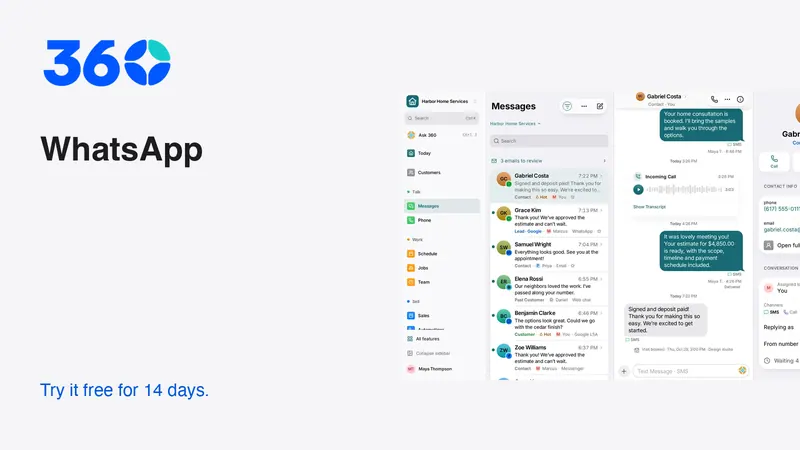
360's WhatsApp feature area connects the channel to the broader customer workflow. Provider setup and charges still apply. Review pricing and the actual connection settings before routing live conversations. The screenshots here use fictional demo records, not production customer messages.
Keep the routine small enough to maintain
Review unassigned conversations, unanswered customer messages and failed sends regularly. Improve the specific handoff that caused a delay before adding another automated response. The aim is a coherent service experience, not a larger message count.
As the team grows, update ownership, access and template responsibility. A channel that worked well with one person can become confusing when several people share it without a clear process. Keep the customer's next step visible and the internal responsibility explicit.
Frequently asked questions
Is the WhatsApp Business app the same as the Platform?
No. Confirm which product and provider arrangement you use. Team integrations, templates and messaging controls can differ, so follow the documentation for the actual setup.
Does an approved template guarantee delivery?
No. Approval, recipient permission, account state and delivery are separate matters. Inspect the send result and resolve any provider error before assuming the customer received it.
What is the most important shared-inbox rule?
Every active conversation needs a clear owner and next action. When ownership changes, preserve the customer's request and the promised follow-up in an internal note.
Try 360 free for 14 days
Put one workflow from this article into practice. $79/month per business, unlimited users, every tool included.
See how 360 fits your trade
Keep reading
Sales & estimates
Make a Shared Inbox Work for Your Team
Keep the customer context together, make ownership visible and connect channels at a pace your team can support.
Sales & estimates
Never Miss a Lead: Build a Reliable Response Routine
Set up missed-call text-back, clear ownership and useful follow-up. Includes message templates and a test plan for busy small businesses.
Sales & estimates
How to Send Estimates Customers Can Say Yes To
Write clear scopes, useful options and respectful follow-ups. Use example messages and a review checklist to send estimates with confidence.