
Jobber vs 360: Which Fits Your Working Day?
Compare Jobber and 360 using official pricing, team needs and a practical trial. Understand field service, follow-up and total monthly costs.
Key points
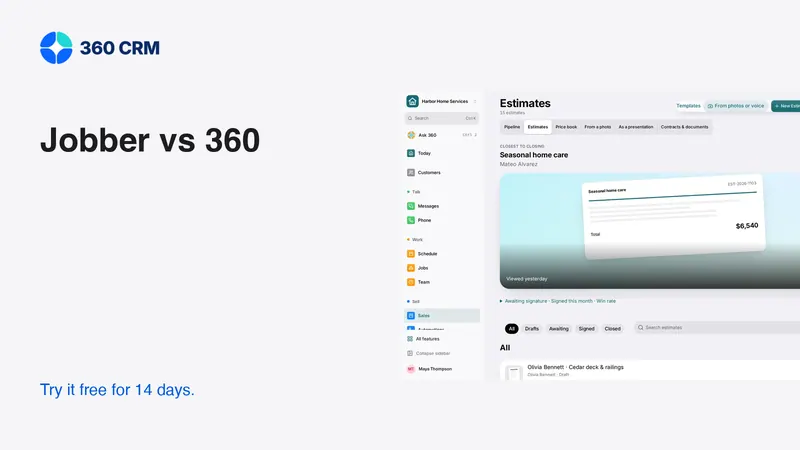
Compare Jobber and 360 around the work your team performs. Jobber presents a field-service workflow built around customer requests, quotes, jobs and invoices. 360 focuses on customers, leads and daily administration with industry-based recommendations. Neither description is enough to choose. Run a real workflow trial, compare the exact plan and include the specialist systems you still need.
This article is written by the 360 CRM Team, so it is not an independent product ranking. Jobber facts come from its official documentation, checked October 19, 2026. The rest of this guide is an original evaluation method you can use with either product.
Begin with the problem that matters most
If your biggest problem is organizing field visits and turning completed work into invoices, make that the first test. If it is unanswered inquiries and disconnected conversations, begin there. A product can be capable in both areas while still feeling different in everyday use.
Write the requirement in a way someone can demonstrate. “The office can see whether the customer approved the revised scope” is testable. “Better productivity” is not. Identify who performs the task, what information they need and what successful completion looks like.
Then list what cannot break during a move. Include customer records, current estimates, phone routing, calendar links, reminders and exports. A comparison should account for the work you already depend on, not only the new capability that attracted your attention.
Read the plan details in context
Jobber's pricing page shows different user counts and billing commitments. At the time checked, regular Core pricing for one user was $49 monthly without commitment or $29 per month equivalent billed annually; promotions were shown separately. Grow lists two-way SMS. These figures do not price a whole team or establish every feature your operation needs.
The 360 business plan is the current published price per business with unlimited users and a 14-day trial. Review current 360 pricing for charges outside the subscription. Compare the exact configuration you would use rather than placing unlike entry plans beside each other.
For both products, record currency, payment timing, commitment, included users and required add-ons. If a promotional price appears, write the ongoing price next to it. This prevents a temporary offer from silently becoming your long-term budget assumption.

Test a customer request through approval
Create a fictional customer with a realistic request. Add a service address, a contact preference and a question that must be answered before quoting. Assign the inquiry, arrange a visit and record the next action.
Then prepare a proposal with a base scope and an optional item. Jobber's quoting documentation describes optional line items and images on Grow. In 360, test the estimate and approval experience directly. A listed capability should still be verified with the type of proposal you actually send.
Change the scope after the first draft. Ask another teammate to identify the current version and explain what the customer is being asked to approve. The test passes when the approved work is clear, not merely when the software produces a polished document.
Test the working day after the sale
An accepted estimate is the start of delivery. Ask each product to show how the office schedules the work, what the field user sees and how completion reaches the person preparing the invoice. Record any manual handoff.
Use an exception, not only a perfect job
Reschedule the visit, add an access problem or record a customer request outside the approved scope. Check whether the next responsible person can see the change. Inspect customer reminders so an old appointment does not remain in a message after the calendar has moved.
If your team needs crew dispatch, route planning, time tracking or detailed job costing, test each requirement separately. Do not infer that a calendar provides all dispatch controls, or that an invoice total provides job profitability. Keep the evaluation tied to the depth your operation needs.
Compare conversations and follow-up
A business may receive calls, texts, email and other messages about the same job. Test the channels you actually use, including receiving, replying, assigning and handing a conversation to a colleague. Confirm which capabilities require a particular plan or provider connection.
Avoid claiming a competitor lacks a channel unless current official evidence establishes that. If this review has not confirmed a feature, treat it as a question for the vendor. A fair comparison is stronger when it makes uncertainty visible.
For follow-up, test a reply in the middle of a reminder sequence. The system should stop or change the relevant sequence according to your configuration. Check a declined estimate and a request not to receive further messages. The goal is accurate customer communication, not maximum message volume.

Inspect the phone experience with real users
Ask a field user to find an address, read the approved scope and add a completion note. Ask an office user to reassign a conversation and correct a customer detail. Let them work without a guided tour after basic orientation.
Observe whether essential information is readable, whether controls are easy to reach and whether an interrupted action can be recovered. Test on the kind of phone and connection the team uses. A large monitor with sample data can conceal a frustrating field workflow.
Do not turn a small trial into an invented performance statistic. Record concrete observations such as “the technician needed office help to find the revised scope.” That finding is useful enough. You do not need to claim a percentage improvement that the trial cannot support.
Review permissions, exports and existing systems
Separate administrator access from the role a staff member will actually have. Verify what a restricted account can read, change and export. Check whether notifications expose information that the main screen correctly hides.
If accounting or specialist software remains part of the business, define the handoff. Ask which fields sync, what the source of truth is and what happens after an error. A familiar integration logo does not establish that every invoice adjustment or customer relationship will transfer correctly.
Export a small sample before committing. Inspect names, notes, dates, custom fields and relationships. Keep the original backup. Being able to leave a system with usable records is part of evaluating it, even if you hope to stay for years.
Use a simple decision worksheet
Give each requirement a result of demonstrated, needs configuration, needs another tool or not suitable. Add a brief note explaining the evidence. Avoid an elaborate weighted score if the business really has a few non-negotiable tasks.
- Inquiry ownership and conversation handoff.
- Current estimate, options and approval clarity.
- Scheduling and the required field-service depth.
- Completion-to-invoice handoff and payment reconciliation.
- Permissions and useful exports.
- Team usability on the devices they carry.
- Total ongoing cost and migration work.
A product can win fewer rows and still be the better fit if it solves the business's most important problem. Conversely, a long feature list should not outweigh a critical requirement that failed in the trial.
Where 360 may fit your decision
360 recommends tools based on the business type selected at signup, while keeping every tool available through Settings → Features. This can help a team begin with relevant customer and lead administration rather than configuring every available module at once. Explore the contractor workspace or industry directory for the starting point closest to your business.
That positioning does not mean you should abandon specialist field-service software that works well. Run the trial, account for the full cost and choose the combination your team can maintain. A well-understood workflow is more valuable than winning a brand argument.
Frequently asked questions
Is Jobber cheaper than 360?
It depends on the exact plan, team size, billing commitment and services required. Compare ongoing prices for equivalent workflows, including usage and add-ons, rather than only the smallest advertised entry price.
Does unlimited users mean unlimited usage in 360?
No. The business subscription allows unlimited users, while usage and applicable paid services are billed separately. Review the current pricing and provider setup before connecting live channels.
Which product should a contractor trial first?
Start with the product most closely aligned to the biggest operational problem, then run the same scenario in the other. Use actual staff tasks and an exception such as a revised estimate or rescheduled visit.
Try 360 free for 14 days
Put one workflow from this article into practice. $79/month per business, unlimited users, every tool included.
See how 360 fits your trade
Keep reading
Industries
Best CRM for Contractors: A Practical Buying Guide
Choose contractor software with a real lead-to-job test. Compare estimates, follow-up, team access and costs before moving your customer records.
Agencies
Alternatives to All-in-One Business Software | 360
Compare all-in-one platform alternatives fairly using official plan sources, workflow tests and migration costs. Find a fit for your business or agency.
Industries
CRM for Roofers: From Inspection to Signed Estimate
Organize roofing inquiries, inspection notes, estimate options and follow-up. Use a practical checklist to test software before switching.