
CRM for Roofers: From Inspection to Signed Estimate
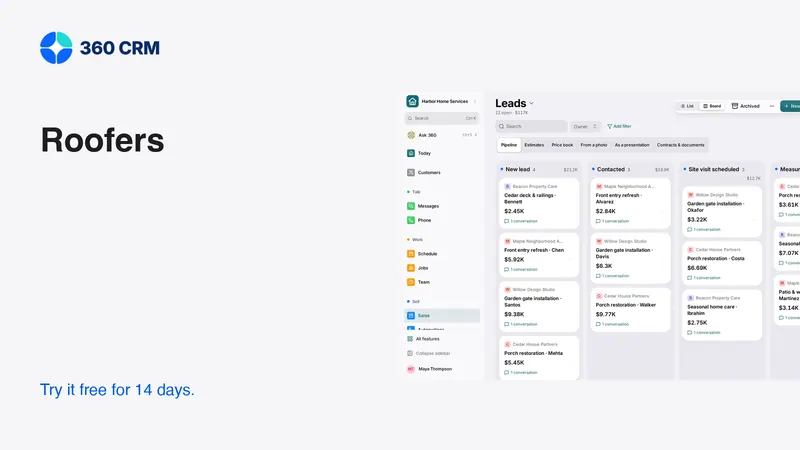
Organize roofing inquiries, inspection notes, estimate options and follow-up. Use a practical checklist to test software before switching.
Key points
A CRM for roofers should connect the initial inquiry, inspection evidence, proposal options and promised follow-up. Start by testing how an inspection becomes an estimate that a homeowner can understand. Keep roof measurements, engineering judgments, insurance decisions and installation planning in the systems and hands qualified to manage them. A neat sales board is useful, but it does not establish that a roof is safe or that a claim will be paid.
The buying goal is simple: another teammate should be able to open the customer record and understand what has been inspected, what is still uncertain and who is responsible for the next conversation.
Map the roofing journey before choosing stages
Roofing inquiries do not all follow the same path. A homeowner investigating a leak may need an inspection before anyone can responsibly describe the work. A planned replacement may involve comparing materials and timing. A property manager may need a written scope and approval from someone who never attends the visit.
Separate these situations in the intake record without creating a complicated form. Capture the property, the person requesting help, the reason for the inquiry and the next action. If someone mentions insurance, record what they said without turning it into a promise about coverage. The software should preserve facts and responsibility, not make professional determinations on its own.
Use stages that describe evidence
A stage such as “inspection arranged” should mean an appointment exists. “Estimate ready” should mean the scope has been reviewed. Avoid stages that sound productive but say nothing, such as “working on it.” If a job needs a material confirmation, assign that task instead of inventing a new pipeline stage for every exception.
Make inspection notes useful to the estimator
The estimator needs enough context to understand the proposed work and its limitations. Record where photographs were taken, which area they show and what remains unverified. A folder of unlabeled pictures can create more uncertainty than a short, careful note.
Use a consistent inspection note template:
- Property and contact confirmed with the customer.
- Reported concern, written in the customer's own terms.
- Areas viewed and any areas that could not be accessed.
- Photographs labeled by location and purpose.
- Measurements and their source, with uncertainty noted.
- Questions requiring a qualified person's review.
- Next promised update, named owner and agreed channel.
Keep safety procedures and technical inspection standards separate from a sales checklist. This article is about managing customer information, not instructions for accessing a roof. During a software trial, use sample photographs and a fictional property. Do not upload real inspection documents simply to make a sales demonstration look realistic.

Separate the customer, property and decision-maker
One person can request an inspection while another approves the project. A landlord, tenant, property manager and billing contact may have different roles. Your records should make those relationships clear without sending every update to everyone.
Ask who can approve the scope and where the final estimate should go. Keep private contact details and internal notes out of customer-facing documents. Before sending, preview the document exactly as the recipient will see it. Verify the property address as well as the email address; a correct customer name does not guarantee the proposal belongs to the correct building.
Test this relationship in each shortlisted product. Create a fictional owner with more than one property. Then create a separate billing contact. If the app forces the team to put all of that information into one unstructured note, decide whether the inconvenience is manageable before committing to it.
Build a proposal around decisions the homeowner understands
A useful roofing estimate distinguishes the stated scope from options, assumptions and exclusions. Explain the material choice in plain words, identify included preparation and cleanup, and show how a change would affect the agreement. Do not represent unknown hidden conditions as confirmed facts.
Give optional work its own place. If a customer can choose a different finish or a separately scoped improvement, make the choice visible and its effect on the total understandable. Avoid a low headline price that becomes a different project after essential items are added.
Then ask the software to handle a revision. Keep the customer's original request in the record, revise the proposal and check which version is available for approval. The office should be able to answer “what exactly did the customer accept?” without comparing several attachments by filename.
Write follow-up that resolves uncertainty
The strongest next message is usually connected to the customer's unresolved question. If they asked about timing, explain what must be confirmed before scheduling. If they are comparing options, offer to walk through the differences. Do not imply that an unreserved installation date is being held.
Record the result of that conversation. “Customer reviewing with co-owner; agreed to speak Friday” is useful context. “Followed up” says almost nothing. If another teammate takes over, they should be able to continue respectfully without making the homeowner repeat the story.

Keep weather changes and customer commitments aligned
A customer-facing appointment and an internal production plan serve different purposes. If weather changes an inspection or installation plan, someone must update the customer and record the new promise. A changed internal date is not proof that the customer received a message.
Create a simple exception routine: identify affected appointments, decide what can be offered, contact the right person, and record the response. Do not send a firm replacement date until the person controlling the schedule has confirmed it. Where messages are automated, ensure a human owns the exceptions and can stop reminders that are no longer accurate.
Try this in the software before buying. Move an inspection and inspect every scheduled reminder attached to it. A system that preserves the old appointment text after a change can cause avoidable confusion even if the calendar itself looks correct.
Check the tools a roofing business may still need
A relationship tool does not automatically replace measurement software, specialist estimating, supplier ordering or construction management. List the systems that already perform those tasks and decide which records need to move between them. Ask vendors to demonstrate an integration with the data you actually need, not just show an app logo.
For an adjacent field-service option, Jobber documents quoting features such as optional items and images. That is evidence about quoting features, not proof of roofing-specific measurement capabilities. Apply the same standard to 360: inspect the roofing workflow and test your actual requirements rather than assuming a page title establishes a specialist integration.
Evaluate the handoff after approval
The accepted estimate should lead to a clear next action. Assign responsibility for scheduling, any agreed deposit, material confirmation and the customer update. Keep each promise attached to the correct project. If there is a change after approval, document it through your agreed change process instead of quietly editing what the customer accepted.
Review the workflow with the person who receives the handoff. Ask whether they can find the approved scope, exclusions, contact preferences and unresolved questions. If they need the estimator to explain everything again, improve the record before adding more automation. A successful sale should reduce uncertainty for the next person, not transfer a pile of disconnected notes.
Compare pricing and usage only after this trial. 360's business plan is the current published price with unlimited users and a 14-day trial. The right choice depends on whether the complete workflow fits, including any specialist tools you keep.
Frequently asked questions
Can a roofing CRM decide whether insurance covers work?
No. Treat customer statements and supporting documents as information for the appropriate professional to review. Do not let a template or an assistant promise coverage, claim approval or payment.
What should I test first in a roofing software trial?
Test an inspection becoming a reviewed estimate, then revise it and hand the approved version to another teammate. That sequence reveals whether evidence, versions and responsibilities stay connected.
Do I need separate software for measurements?
Possibly. Verify the measurement method and any integration you rely on. A customer record or photograph attachment does not by itself provide a qualified measurement, takeoff or technical assessment.
Try 360 free for 14 days
Put one workflow from this article into practice. $79/month per business, unlimited users, every tool included.
See how 360 fits your trade
Keep reading
Industries
Best CRM for Contractors: A Practical Buying Guide
Choose contractor software with a real lead-to-job test. Compare estimates, follow-up, team access and costs before moving your customer records.
Sales & estimates
How to Send Estimates Customers Can Say Yes To
Write clear scopes, useful options and respectful follow-ups. Use example messages and a review checklist to send estimates with confidence.
Industries
CRM for HVAC: Service, Replacement and Follow-Up
Build a clearer HVAC workflow for service calls, replacement estimates and maintenance. Includes trial tasks and customer message templates.