
Alternatives to All-in-One Business Software | 360
Compare all-in-one platform alternatives fairly using official plan sources, workflow tests and migration costs. Find a fit for your business or agency.
Key points
Choose a all-in-one platform alternative by identifying the work you need to improve, then testing that work with the people who will use the replacement. Compare a single business's needs separately from an agency's needs. Include migration, channels, usage and support in the cost. Do not switch simply because another product has a shorter feature list or a more attractive entry price.
This comparison is written by the 360 CRM Team. We sell one of the options discussed, so this is not an independent ranking. Competitor facts below come from official pages checked on October 19, 2026. Prices and packaging can change; open the linked source before buying.
Start with the reason you want to change
Write down the specific problem you are trying to solve. Perhaps staff cannot find the next customer action, the workflow requires too much configuration, or the business needs deeper field-service tools. Those are different reasons and may point to different products.
Avoid starting with “we need everything in one app.” That phrase can hide conflicting requirements. A marketing agency selling software, a contractor scheduling visits and a small office managing customer inquiries do not necessarily need the same operating setup.
Keep a list of what already works. A replacement should improve the identified problem while preserving essential capabilities. If your current system handles a website form reliably, include that form in the migration test instead of assuming every alternative will accept the same data in the same way.
Understand the current all-in-one platform plan before comparing
all-in-one platform's official pricing page, checked on October 19, 2026, lists monthly Starter at $97 with three sub-accounts, Unlimited at $297 and Agency Pro at $497, which adds SaaS mode. The page also describes separate usage charges. Write those numbers into your worksheet next to whatever you actually pay today, including any reseller markup.
A business buying through a reseller may have a different package or support arrangement. Compare the actual agreement you have, not just a public vendor headline. Ask which services, configuration and support are included and what changes if you leave.
Do not treat an unverified feature as an absent feature. If a particular integration, language or payment method matters, request current documentation and a demonstration from each vendor. An honest comparison can say “not established in this review” without turning that uncertainty into a negative claim.

Compare three kinds of replacement
A focused CRM the whole team can run
This approach suits a business whose main problem is keeping leads, conversations, appointments, estimates and next actions together. Evaluate whether the daily interface is understandable to the team. In 360, industry choice recommends a starting workspace and other tools remain available in Settings → Features. Test that promise with your own workflow rather than accepting it as a universal fit.
A field-service system
If the main difficulty is scheduling work, coordinating crews or connecting visits to invoices, prioritize field-service depth. Jobber's official pricing page describes scheduling, quoting and invoicing with plan-specific capabilities. Test the exact plan your team would buy; a feature listed somewhere on a site may not be in the entry package.
A specialist system plus a relationship tool
Some operations need specialist production, policy or transaction software. Keeping that system and improving the customer handoff may be more sensible than replacing everything. Define which application owns each fact and how errors are resolved. A simpler set of responsibilities can be more reliable than a complicated bidirectional sync.
Use the same trial script for every option
Create a fictional customer and run a complete journey. Capture an inquiry, assign it, schedule a conversation, prepare an estimate or next-step document and record the outcome. Then make something go wrong: change the appointment, enter a bad email or ask the customer to pause follow-up.
- Can a teammate identify the next action without asking the original owner?
- Does a failed message explain what happened and how to recover?
- Can the customer see the current document rather than an obsolete version?
- Do replies and opt-outs stop the appropriate sequence?
- Can a restricted user do their job without seeing unrelated records?
- Can you export the records you need in a usable form?
Write down what you observed. Do not score a feature as passed because a vendor says it is possible with custom work. Record the configuration, paid add-on or manual step required. That detail often determines whether the replacement will be comfortable to operate.
Calculate total cost without invented savings
Use a worksheet with subscription, required users, connected channels, expected usage, specialist add-ons, onboarding and ongoing administration. Separate a one-time migration cost from recurring expenses. Include any software you will keep after switching.
The 360 business plan is the current published price per business with unlimited users and a 14-day trial; see pricing. Unlimited users does not mean unlimited calls, texts, provider services or every paid add-on. Compare equivalent configurations and billing commitments.
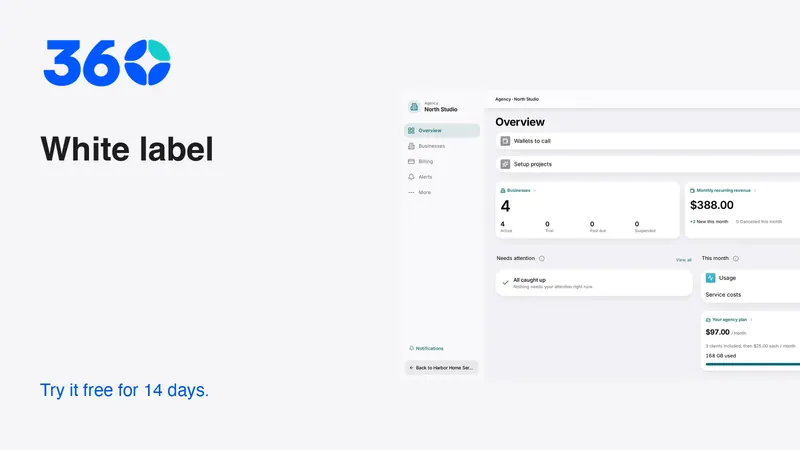
Agencies need a separate worksheet. On subscription alone, 360 Agency Starter is $97 per month with three client businesses included and $25 for each extra client, and Agency Unlimited is $197; all-in-one platform lists Starter at $97 with three sub-accounts and Unlimited at $297. Then add setup, support time, payment processing and usage, because revenue minus a platform fee is not profit. Our white-label pricing guide shows the seven-client break-even between the two 360 agency plans.

Inventory the things that must survive migration
A contact export is only part of the move. List phone numbers, websites, forms, booking links, email connections, automations, templates, documents and integrations. Identify which are portable, which need rebuilding and which depend on a provider's process.
Keep a backup of the original export and test a representative sample. Include duplicate contacts, multiple projects, older notes and non-English names. Check whether dates, ownership and consent information survive the mapping. A large successful import count does not prove that the records are usable.
Do not assume phone numbers can be moved instantly or that every historical message will transfer. Ask the responsible provider for the current process and supported data. Keep the old receiving path monitored until the new path has been tested and the transition is deliberately completed.
Rebuild automations from their purpose
An automation is a promise encoded in software. Before copying it, explain what should trigger it, who receives it, what it says and when it must stop. If nobody can explain the sequence, simplify it before moving it.
Use a contact you control to test the happy path and the stop conditions. Reply midway, change the appointment and decline the estimate. Confirm that the replacement reacts appropriately. Also test a failure so the team knows where to find the error and who handles recovery.
Avoid turning on both old and new sequences for the same customer. A transition plan should identify which system sends each message at each stage. Duplicate reminders can make a migration look careless even when the data itself moved correctly.
Decide with the team, not just the buyer
Ask the people who answer messages, prepare estimates and handle the next task to use the shortlist. A product that feels simple to the person configuring it may still confuse the person who only opens it between appointments.
Give each tester a concrete task and observe without coaching. Record where they hesitate and whether the product offers a clear next step. Distinguish a training gap from a workflow mismatch. Some unfamiliarity is normal; repeated dependence on hidden settings is a more serious concern.
Keep the decision reversible where possible. Start with a controlled workflow and a documented backup rather than moving every channel at once. The best alternative is the one that improves the actual work and has a manageable transition, not the one that wins the most rows in a feature table.
Frequently asked questions
Is 360 a replacement for every all-in-one platform workflow?
Not necessarily. Test the specific channels, automations, websites, integrations and specialist work your business relies on. Keep or replace each component based on demonstrated fit.
Should I switch only to reduce the subscription price?
Include usage, required plans, migration and ongoing support in the comparison. A lower entry price can be misleading if the workflow needs additional services or more manual administration.
What should I move first?
Start with a controlled sample and a clearly owned workflow. Verify records and permissions before moving live channels, and keep the old receiving path monitored until the new one is confirmed.
Try 360 free for 14 days
Put one workflow from this article into practice. $79/month per business, unlimited users, every tool included.
See how 360 fits your trade
Keep reading
Industries
Jobber vs 360: Which Fits Your Working Day?
Compare Jobber and 360 using official pricing, team needs and a practical trial. Understand field service, follow-up and total monthly costs.
Agencies
White-Label CRM for Agencies: Setup and Pricing Math
Agency Starter is $97 with 3 clients, +$25 each; Unlimited is $197. See the 7-client break-even and budget for support, setup and usage.