
CRM for Real Estate Teams: Own Every Next Step
Assign property inquiries, organize showings and keep transaction handoffs clear. A practical buying guide for real estate teams.
Key points
A CRM for real estate teams should make every inquiry's owner and next action visible. Test the path from a property question to a showing, a follow-up and a transaction handoff. Keep relationship work connected without treating the CRM as the authoritative source for contracts, listing status or financial instructions. The right setup helps another teammate continue a conversation without making the customer repeat it.
Start with the handoffs that go wrong today: the buyer who asked two agents the same question, the showing that moved but the reminder did not, the Monday when nobody knew who owned the weekend's inquiries. Fix those first. A bigger contact database will not.
Decide who owns a new inquiry
A team needs an explicit rule for assigning incoming inquiries. That might depend on availability, an existing relationship or another approved business rule. Whatever you choose, make the assigned person visible and define what happens if they are unavailable.
Do not assume that distributing a notification assigns responsibility. If every agent receives the same alert, each may believe someone else will answer. The record should identify an owner and a next action, with a backup process for exceptions.
Test this using a fictional inquiry. Let the first assigned agent be unavailable, then ask the team to show how the inquiry is reassigned. Check that the customer receives a coherent reply rather than overlapping introductions from several people. Keep the routing criteria consistent with your professional policies and obligations.
Capture the customer's question without inventing preferences
A property inquiry may be narrow: a question about availability, a request for a showing or a request to speak with an agent. Record that question before trying to build a full profile. Ask relevant, appropriate questions as the relationship develops.
Avoid inferring sensitive characteristics or using them to prioritize customers. Keep notes factual and connected to the customer's stated needs. This guide concerns workflow organization, not advice on housing law or brokerage compliance; have your responsible professional review intake fields and routing rules.
A practical inquiry record
- The customer's name and preferred contact method.
- Property or subject of the inquiry, with its source.
- The question asked in the customer's own words.
- Assigned agent and backup responsibility.
- Appointment request or next promised contact.
- Facts that still need confirmation from an authoritative source.
A link to a property is useful context, but it is not proof that current availability or terms have been checked. Make verification part of the next action rather than letting a copied description become a permanent fact.

Treat showing requests as requests until confirmed
A booking link can make it easier to coordinate a conversation or showing request. It should not imply that every requested property or time is available. Distinguish a request from a confirmed appointment and explain what must happen next.
Before confirming, check the relevant availability, access process and responsible person. Record changes where the team can find them. If a showing moves, update both the appointment and the customer communication rather than assuming one automatically corrects the other.
During a trial, change the requested time and inspect the reminders. The customer should not receive a confirmation for the old slot after the team has already agreed to a new one.
Write follow-up around a useful decision
After a conversation or showing, record what the customer wants to do next. They may need information, time to consider or a different appointment. Do not move everyone into the same generic reminder sequence.
A helpful follow-up can summarize a question, confirm that you are obtaining an answer or ask whether the customer's plans have changed. Avoid manufactured urgency. If a statement about availability or timing affects a decision, verify it through the appropriate source before sending it.
Record the promised update as a task with an owner. If the customer asks for a pause, honor that preference in the workflow. A reliable system should make it easy to stop a sequence when a real conversation takes over.
An open house, worked through
Picture a fictional Saturday open house with fourteen sign-ins. Three visitors ask for a private showing, two want the disclosure packet, one already has an agent and the rest are neighbors. On Saturday evening, the listing agent assigns the three showing requests to themselves with a Monday task, sends the two packet requests to the teammate who handles documents, marks the represented buyer as not to be contacted, and leaves the neighbors without a sequence. On Monday, anyone on the team can open the records and see exactly who is waiting for what.
Keep team notes and customer messages separate
Internal notes can help a colleague understand what was promised, but they should not be copied into a customer reply without review. Keep the tone factual and professional. Avoid speculative descriptions or unnecessary personal information.
Test a handoff to a second agent. Ask them to identify the latest customer question, the next promised update and any information awaiting verification. Then have them prepare a reply without sending it. Review whether the draft uses the right recipient, property and channel.
A shared inbox can reduce dependence on personal accounts, but contact matching still needs testing. A customer may use more than one email or phone number. Check how the system handles duplicates and whether merging records preserves useful history without mixing unrelated people.

Separate a relationship stage from a transaction milestone
A pipeline can show that a customer is considering an offer or working through a transaction. It should not replace the authoritative contract record, deadline calendar or professional transaction process. Define what each stage means and which source confirms it.
For example, a task to review a document is different from confirmation that the document was signed. A customer message saying they intend to proceed is different from an executed agreement. Keep those distinctions visible so a teammate does not act on an optimistic status label.
During the trial, change a transaction-related date and inspect who is notified. Ask how the team verifies the change and where the authoritative deadline remains. If a specialist transaction-management system is required, keep it and make the handoff deliberate rather than duplicating critical dates without ownership.
Protect sensitive documents and payment instructions
Use your approved process for identity documents, contracts and financial information. A convenient attachment button does not establish that a general conversation channel is the right place for every document. Limit access to what each role needs and review export and retention behavior.
Do not generate or alter payment instructions casually in an AI draft or message template. Follow the verification process established by the responsible professionals. The software should support that process, not encourage a shortcut because a customer asks for speed.
Review security, privacy and any connected provider's terms as part of your evaluation. Use fictional records when testing permissions and assistant access. A salesperson's administrator view cannot prove what a restricted agent account will be allowed to see.
Choose a focused starting point
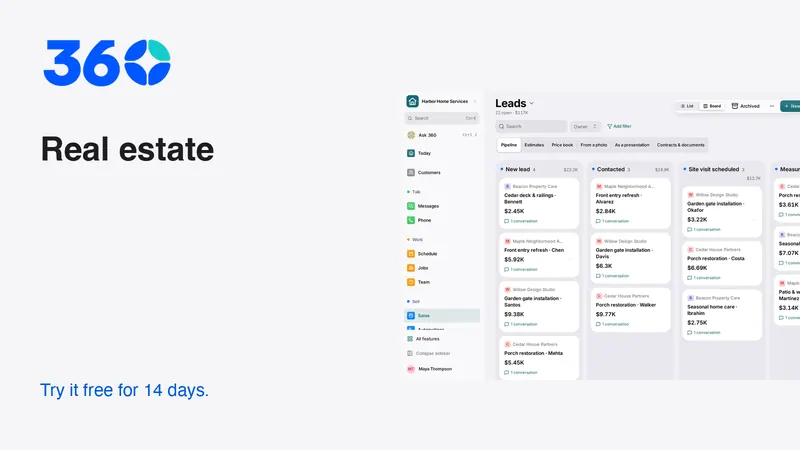
360's real estate workspace recommends relevant tools while keeping other features available in Settings → Features. Core customer and conversation tools remain useful across businesses. Industry choice is a starting recommendation, not a restriction or a claim that every specialist transaction requirement is covered.
The business plan is the current published price with unlimited users and a 14-day trial; see pricing. Compare that cost with the exact workflow and any specialist systems your team retains. Include the effort of training, importing and maintaining accurate records.
Finish the trial by asking someone who did not configure the system to cover an absent teammate's inquiries. If they can identify the promised next action, verify the relevant facts and respond through the right channel, the setup is doing useful work.
Frequently asked questions
Should every real estate inquiry receive the same automation?
No. Match the next action to the customer's request and current conversation. A showing request, a document question and a request to pause contact need different treatment.
Can a pipeline replace transaction management?
No. Verify contract records, deadlines, permissions and professional requirements separately. A relationship stage is not evidence that a formal transaction milestone has occurred.
What should I test with a team during the trial?
Assign an inquiry, make the owner unavailable, reschedule a showing and hand the conversation to another authorized agent. Check the customer messages, verified facts and next task after each change.
Try 360 free for 14 days
Put one workflow from this article into practice. $79/month per business, unlimited users, every tool included.
See how 360 fits your trade
Keep reading
Sales & estimates
Make a Shared Inbox Work for Your Team
Keep the customer context together, make ownership visible and connect channels at a pace your team can support.
Sales & estimates
Never Miss a Lead: Build a Reliable Response Routine
Set up missed-call text-back, clear ownership and useful follow-up. Includes message templates and a test plan for busy small businesses.
Industries
Best CRM for Contractors: A Practical Buying Guide
Choose contractor software with a real lead-to-job test. Compare estimates, follow-up, team access and costs before moving your customer records.