
CRM for Plumbers: Keep Calls and Jobs Moving
Track plumbing inquiries, dispatch promises, repair approvals and unpaid work. A practical software checklist for your office and field team.
Key points
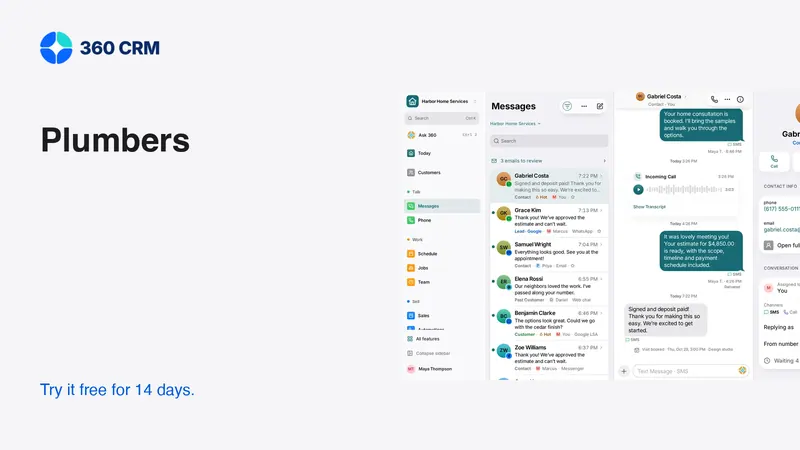
A CRM for plumbers should keep the call, the service address, the promised next step and the approved work connected. Test the path from an incoming inquiry to a confirmed visit, a repair estimate and a payment record. Pay particular attention to rescheduling, unavailable technicians and customers who call again before anyone replies. Those exceptions reveal more than a perfect demonstration.
Start with the information your office and field team need to act. Add specialist dispatch or price-book tools when they fit the business. A visible calendar entry alone does not prove that a technician has been assigned or that an arrival time is guaranteed.
Distinguish a request from a confirmed appointment
A customer who reports a leak wants to know what happens next. The office needs to understand the request, establish the service address and decide who can respond. Record that initial inquiry accurately before promising availability.
Use separate language for requested and confirmed work. “We received your request” is different from “your visit is booked.” An automatic acknowledgment must not make the second statement when the first is all that happened. If you offer an arrival window, make sure the person controlling the schedule has agreed to it.
For urgent or unsafe situations, follow your professionally reviewed procedure. This guide covers customer administration, not plumbing repair or emergency instructions. Do not put improvised safety guidance into a message template simply because it makes an acknowledgment sound more helpful.
Capture the address and the responsible person
The person who calls may be a tenant, property manager, homeowner or employee at a commercial site. Their telephone number does not necessarily identify who can authorize work or pay the invoice. Ask the minimum questions needed to avoid sending a technician into an unclear situation.
A useful first-call note
- What the caller reports, without converting it into a diagnosis.
- The service address and any separate billing address.
- Who will be present and how the technician can reach them.
- Who is authorized to approve additional work.
- Any access limitation that affects the visit.
- The next communication promised and who owns it.
Do not include door codes or sensitive access details in broad team alerts. Keep them in the appropriate restricted record. During a software trial, inspect a technician's view and a customer-facing message to verify that internal notes do not accidentally become public instructions.

Handle missed calls without creating false promises
Missed-call text-back can acknowledge a caller while your team is busy, but the text should be part of an owned callback process. A message saying “we'll call soon” is not a completed response. Assign someone to review the inquiry and record the outcome.
Use a message only where it is appropriate for the channel and the caller's permissions. Twilio's messaging policy explains consent and opt-out requirements. Do not treat a missed call as permission to enroll someone in an unrelated marketing campaign.
Test repeat calls from the same number. The customer should not receive a confusing series of identical acknowledgments while the office is already speaking with them. Review duplicate handling, the conversation history and any active reminder before turning on automation.
Make approval visible before the scope changes
A diagnostic visit can lead to a different repair than the customer expected. The team needs a clear record of what was explained, what was approved and what remains undecided. Keep the proposed work separate from an internal observation or a draft estimate.
Use plain descriptions in the estimate. State the work included, material assumptions, access requirements and any excluded work that could affect the decision. If the final scope depends on an inspection, say what must happen before the price is confirmed. Avoid presenting an uncertain amount as a firm agreement.
Then test a change. Add an optional item, remove it and revise the proposal. Ask a teammate to identify the current scope and approval without reading every message in the thread. If that is difficult, establish a clearer document process before increasing the volume of estimates you send.
Give the technician a concise handoff
A field user should be able to open the job and understand why they are going, who to contact and what has been promised. They should not need to scroll through marketing messages to find the service address. Put the practical summary where it is easy to find on a phone.
The return handoff matters too. After the visit, record the outcome, any customer decision and the next action. “Work completed” may not be enough if an invoice still needs review or a separate estimate was requested. The office should know whether it can close the conversation, collect an agreed balance or arrange another visit.
Ask a real field user to try the workflow in the trial. Watch where they hesitate, what they have to type twice and whether they can recover from an interrupted save. A desktop demonstration cannot establish that the daily phone workflow is comfortable.

Treat payment status as its own fact
A customer saying “I paid” and a payment provider confirming settlement are different pieces of information. Keep the conversation, invoice and payment status linked, but do not automatically treat a screenshot or a message as proof of payment.
Before requesting money, verify the accepted scope, the invoice recipient and the amount. Make the payment link easy to recognize and provide a way to ask about a mistake. If an invoice is disputed, pause routine reminders while someone resolves the issue. Sending repeated payment prompts during an active correction can make a small mistake harder to repair.
Your bookkeeping process still needs to reconcile recorded payments, fees and deposits. Software can reduce repeated entry, but the person responsible for the books should confirm how the integration works. Test a partial payment and a corrected invoice, not just a successful full payment.
Compare simple administration with dispatch depth
Some plumbing teams mainly need organized calls, estimates and follow-up. Others need complex dispatch, skill matching, capacity rules or detailed job costing. Write those needs separately so the comparison stays honest.
Jobber's official Core documentation describes customer requests, quotes, jobs and invoices. Its existence does not tell you whether a particular dispatch process fits; demonstrate that process. Apply the same test to 360's plumbing workspace. Specialized tools should be chosen because they solve your working problem, not because they appear on a large feature list.
The 360 business plan is the current published price per business with unlimited users and a 14-day trial. Compare current pricing against the exact team and channels you need. Include any other software that remains necessary after the change.
Finish the trial with an exception review
Create a short list of situations that normally cause confusion: an unanswered callback, a changed address, a customer who is unavailable, an estimate awaiting approval and a payment that has not reconciled. Run each one through the software using fictional records.
For every situation, ask the same practical questions. Who sees it? Who owns it? What does the customer receive? What tells the team it is resolved? If the answer is “someone remembers,” the workflow is not ready for an unattended automation.
You do not need to automate everything before starting. A clear assigned task can be more reliable than a complicated sequence nobody monitors. Buy the system your team can operate confidently, then add automation after the manual process has proved understandable.
Frequently asked questions
Is missed-call text-back the same as answering the lead?
No. It acknowledges the contact. A person still needs to review the request, confirm availability and own the promised next step. Track that work separately from the automated message.
Should a plumber choose software with a price book?
Choose it if a maintained price book fits your quoting process. Confirm how prices are reviewed and exceptions approved. A price list cannot replace inspection or professional judgment where the scope is uncertain.
What should the office check before closing a job?
Confirm that the visit outcome, accepted scope, customer update and billing handoff are recorded. A completed appointment can still have an open estimate, unresolved question or unpaid invoice.
Try 360 free for 14 days
Put one workflow from this article into practice. $79/month per business, unlimited users, every tool included.
See how 360 fits your trade
Keep reading
Sales & estimates
Never Miss a Lead: Build a Reliable Response Routine
Set up missed-call text-back, clear ownership and useful follow-up. Includes message templates and a test plan for busy small businesses.
Getting paid
Get Paid Faster: Deposits, Payment Links and Reminders
Make payment terms clear, collect agreed deposits and send useful reminders. A practical guide to cards, Pix and keeping records reconciled.
Industries
Best CRM for Contractors: A Practical Buying Guide
Choose contractor software with a real lead-to-job test. Compare estimates, follow-up, team access and costs before moving your customer records.