
Use ChatGPT and Claude With Your CRM Safely
Connect an assistant with limited access, prepare useful drafts and approve changes. A practical guide to business permissions and human review.
Key points
Connect ChatGPT or Claude to business records with the smallest useful permissions. Begin with reading a limited set of information, then prepare drafts before allowing changes. Review the named business, recipient, content and action at the approval step. A sentence in a prompt saying “ask me first” is not a replacement for an enforced permission boundary.
In 360's supported AI Connect OAuth flow, writes and sends require approval for the named business, and read-only access blocks changes. That is a product control, not a claim that every assistant connection or legacy integration behaves identically. Inspect the connection you are actually using.
Understand what a connection allows
A connected assistant can receive information from the tools you authorize and may be able to request actions. Reading a record, preparing a draft and sending a message are different capabilities. Do not treat “connected” as a single harmless switch.
Anthropic's custom connector guidance recommends trusted servers, careful permission review and attention to actions. OpenAI's enterprise privacy page describes protections for its business offerings. Review the terms for the exact service and plan you use; do not assume a personal account has the same arrangement as a business product.
Decide what information may leave your business system before connecting it. Approval for a later send does not undo the earlier disclosure of records to the assistant. If a task does not need sensitive documents, do not provide access to them merely for convenience.
Start with a small reading task
Choose a task that helps you understand the connection without changing anything. For example, ask for a summary of unanswered conversations in a fictional test business, with links or record references that let you check the result.
In the connected sample business, list conversations whose latest message is from the customer. Show the customer, the question and the record reference. Do not draft or send replies. If access is missing or a record is unclear, say so.
Review the answer against the source records. Check whether the assistant distinguished a customer question from an internal note and whether it admitted missing access. A useful summary should make verification easier, not replace the source with a confident paraphrase you cannot inspect.
Only expand access after that small task behaves as expected. If the connection returns too much information, narrow the permissions or choose a more specific tool before using real customer data.

Keep the business selection explicit
People who work across several businesses must know which records an assistant is reading or changing. In 360, the OAuth consent flow lets the user choose authorized businesses, and actions are checked against current grants and membership. When a request is ambiguous across businesses, clarify it before proceeding.
Name the business in the task and review it again at approval. Similar customer names can exist in different places. A correct message sent from the wrong business is still a serious mistake.
Do not rely on the assistant remembering the context from an earlier chat. Ask it to show the selected business and record reference in the proposed action. That small habit makes a review concrete rather than asking a person to approve a vague statement such as “send the follow-ups.”
Move from summaries to drafts
Drafting is a useful next step because the person can inspect the content before it affects a customer. Give the assistant a clear purpose, the relevant record and boundaries around uncertain facts.
Prepare a reply to this customer's question about the revised estimate. Use the current estimate record and the conversation. Do not invent availability, discounts or an approval. If a fact is missing, leave a clearly identified question for me. Save or present the draft for review; do not send it.
Check amounts, dates, names and commitments. Read the original customer question, not only the assistant's summary of it. A draft can be fluent while answering the wrong question or carrying forward an outdated promise.
Keep reusable prompts short enough to understand. More instructions do not automatically produce more control. The strongest boundary comes from the connection's permissions and the action approval, supported by a clear task.
Review the concrete action before approving
An approval should identify what will happen, where and to whom. Before allowing a message or record change, inspect the business, customer, channel, final content and any financial or scheduling detail.
Approval checklist
- Is this the intended business and customer record?
- Is the recipient and communication channel correct?
- Does the text answer the actual question?
- Are dates, amounts and availability verified?
- Does the action match what I asked for?
- Will it create a duplicate of something already done?
- Can I see the result and history afterward?
Reject or revise an action that is unclear. In the supported 360 OAuth flow, approval execution checks current permissions again. Removing access should prevent future operations, but do not assume it can undo a message that was already sent.

Treat customer content as information, not instructions
A message, note or attachment can contain text that tells an assistant to ignore rules or send data elsewhere. That text is part of the material being reviewed; it is not authorization from the business owner.
Keep the task focused on extracting relevant facts and preparing the requested result. If a customer message contains an unusual instruction to change system behavior, the assistant should report it rather than obey it. This is one reason broad unattended access deserves careful evaluation.
Use a fictional record to test this boundary. Add a harmless note that asks the assistant to perform an unrelated action, then verify that it stays within the authorized task. Do not test by exposing real private information or creating an actual unauthorized send.
Know what read-only does and does not protect
Read-only access prevents supported write operations through that connection. It does not mean the data stays inside the original application. The assistant may receive and process information needed for the answer under its own service terms.
Share only what the task requires, and review the provider's data-handling settings and agreements. Do not copy credentials, full payment details or unnecessary sensitive documents into a chat. If a business has regulated or contractual restrictions, have the responsible person review the proposed use before connecting those records.
Disconnecting stops future access through the revoked grant. It cannot automatically erase information already retrieved or included in a conversation. Keep that distinction clear when deciding what data to expose in the first place.
Handle errors without expanding permissions blindly
If a task fails because access is missing, identify the specific permission or record involved. Do not respond by granting every available scope. Decide whether the task is appropriate and whether a narrower change would be enough.
If an action times out, check the activity history before retrying. A timeout does not always mean nothing happened. For a customer message, verify whether it was sent; for a record change, inspect the resulting record. Duplicate actions can be more damaging than a delayed response.
Keep one person responsible for reviewing connection settings and activity. Revisit access when staff roles change or a business is removed from the connection. Permissions should follow the current job, not remain broad because a past demonstration needed them.
Run a controlled first week
Begin with fictional records, then a small authorized use case. Keep reading, drafting and sending as separate review steps until the team understands the behavior. Save a few representative task examples and their expected outcomes so changes can be checked later.
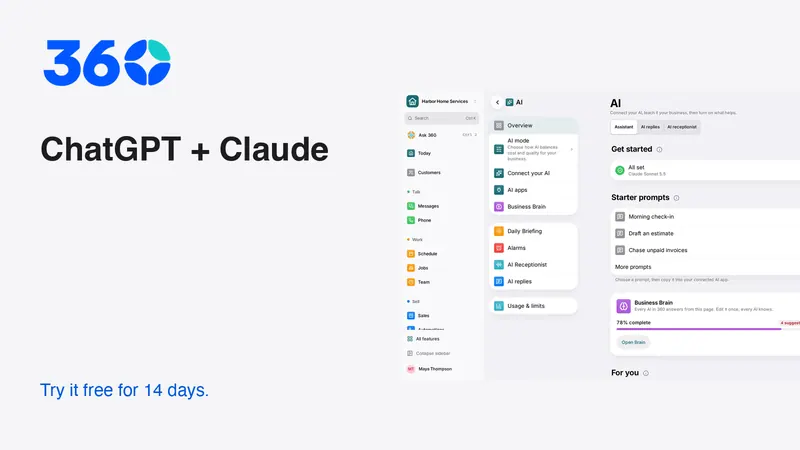
360's AI tools include AI Connect and in-app assistance. Availability in an assistant app can depend on that provider's current plan and configuration; verify its documentation instead of promising that every account can connect in the same way. Review security and pricing alongside the workflow.
The useful outcome is a team that spends less effort preparing routine work while still owning customer commitments. An assistant should make the review clearer, not make responsibility disappear behind a confident answer.
Frequently asked questions
Is telling an assistant to ask first enough?
No. Use enforced permissions and the supported approval flow. A prompt can describe your intention, but it is not a substitute for a connection that blocks unauthorized changes.
Does read-only mean no information leaves 360?
No. The assistant may receive information needed to answer the request. Read-only limits changes through the connection; it does not replace review of the assistant provider's data handling.
What should I check before retrying a failed action?
Inspect the activity history and destination record first. A timeout may occur after an operation completed. Confirm the result before trying again so you do not send or create duplicates.
Try 360 free for 14 days
Put one workflow from this article into practice. $79/month per business, unlimited users, every tool included.
See how 360 fits your trade
Keep reading
AI
AI Receptionist for Small Business: A Buying Guide
Test an AI receptionist for accurate answers, clear handoffs and safe booking. Includes call scripts, failure cases and a practical launch plan.
Sales & estimates
Make a Shared Inbox Work for Your Team
Keep the customer context together, make ownership visible and connect channels at a pace your team can support.